


Screenshots you can search.
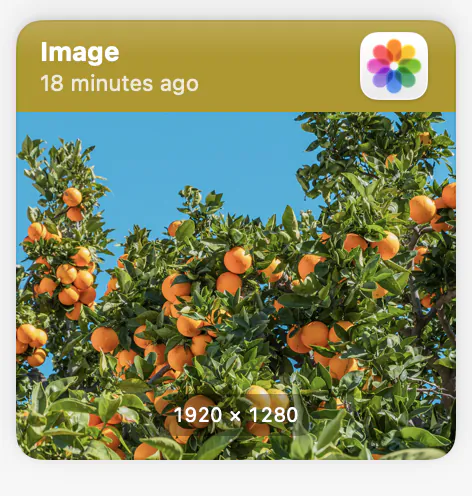
Images and files are kept next to your text, and OCR makes the words inside a screenshot searchable.
RAAD remembers every clipboard item, finds it by meaning in milliseconds, and lets your own AI tools use it through MCP — all on-device. No account, no cloud, no exceptions.
Free for 14 days · Requires macOS 14 or later · No account needed

History
Every copy is saved the moment you make it — plain text, rich text, links, colors, images, and files. An hour ago or a year ago, it is still there, and there is no cap on how much RAAD keeps.
Search
Type what you remember, not what you copied. RAAD builds a semantic index on your Mac, so searching for “the postgres connection string” finds it even when the text itself says DATABASE_URL. Keyword and typo-tolerant search run alongside it, and you can narrow by app, date, or type.


Reuse
Pin the snippets, links, colors, and templates you reach for all day. Snippets take variables, abbreviations expand as you type, and ⌘1 through ⌘9 paste your top pins without opening anything at all.


Every kind of copy
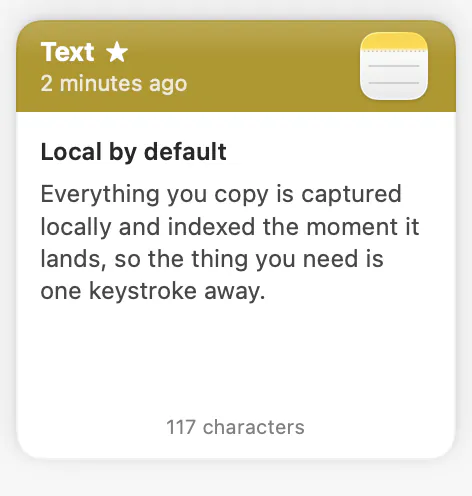
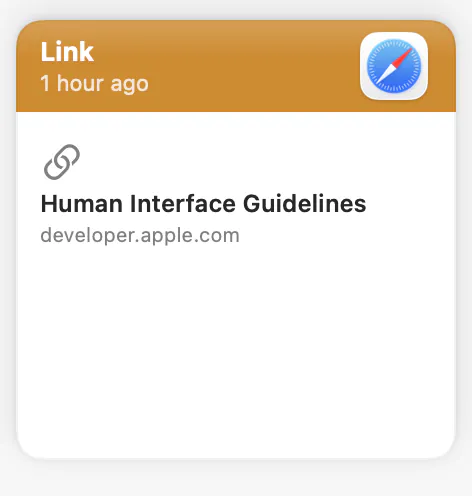
Plain text, rich text, links, colors, images, and files all land in the same history, and each one is shown as what it is.
Images and files are kept next to your text, and OCR makes the words inside a screenshot searchable.
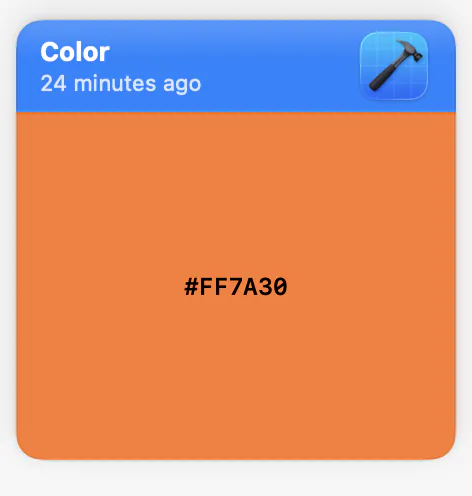
A copied color is kept as a color, with a swatch you can spot at a glance.
Favorite the clips you reuse, then filter the whole history down to just those.
Lock a pinboard behind Touch ID. Its contents stay hidden until you unlock it.
Paste
Rich text where you want it, plain text where you do not — strip formatting on the way out without a detour through a text editor. Transform as you paste: change case, trim whitespace, encode a URL. Or queue several items into a paste stack and drop them in sequence without reopening the panel.
AI tools and developers
RAAD runs an MCP server on your Mac, so Claude, Cursor, Codex, and anything else that speaks MCP can search what you have already copied and use it as context. Write access is opt-in, and every write lands in an audit trail you can actually read.
$ raad search "connection string" --limit 3 postgres://localhost:5432/raad_dev DATABASE_URL=postgres://… · copied 3d ago redis://127.0.0.1:6379 · copied 1w ago$ raad mcp status listening · 4 clients · write access: offPrivacy
Not “private by design” with an asterisk pointing at our servers. There are no servers in the loop. Your history lives in an encrypted store on your Mac, every feature works with the network off, and there is no account to create in the first place.
Copy one snippet, then the next, without losing the first. Search by meaning when you cannot remember the variable name.
Colors, icons, and links stay a keystroke away, and screenshots are searchable by the text inside them.
Never lose a paragraph you forgot to paste back. Strip formatting on the way into the draft.
Quotes, citations, and links accumulate all day and stay findable months later.
Comparison
We audited RAAD against ten clipboard managers across capture, search, pasting, AI tools, privacy, and licensing. The table lists what each app does today — and what RAAD has not shipped yet is listed as not shipped.
Pricing
Every plan unlocks every feature. Try all of it free for 14 days first — no card, no account.
…/ month
14-day free trial
Full clipboard history, on-device search, and an MCP server for AI tools.
…one-time
Everything in Personal, once, forever. No subscription.
Prices shown in your local currency where Paddle supports it. VAT and sales tax are calculated at checkout.
The free trial
No account and no card. Here is exactly what happens.
The trial starts the first time you open RAAD. There is nothing to sign up for and no card to enter.
For 14 days there is no cap on your history, and the MCP server is on.
Buy a plan and enter your license key, and everything you copied during the trial is there again right away. Without one, RAAD keeps capturing but shows only your three most recent clips, and the MCP server stops.
Questions
No. There are no servers in the loop. Your history lives in an encrypted store on your Mac, and every feature works with the network off.
No. There is nothing to sign up for. A license key is the only credential, and only if you buy a plan.
It is built not to. Copies from password managers are ignored, anything an app marks as transient or concealed is never recorded, and API keys and tokens are detected and stripped before they reach storage.
RAAD keeps capturing, but it shows only your three most recent clips and the MCP server stops. Enter a license key and everything you copied comes back immediately. The trial takes no card, so nothing is charged automatically.
Personal is a monthly or yearly subscription, and Lifetime is a one-time purchase that includes free updates within the major version. Every plan unlocks every feature. Current prices are in the pricing section above, in your local currency where Paddle supports it.
Any Mac running macOS 14 or later.
Not yet. RAAD is Mac-only today. Universal Clipboard lets you paste into iOS manually, but there is no RAAD app for iOS, and encrypted sync is built but not switched on in the shipping app.
Not yet. Shared team boards are on the roadmap, but the shipping app has no interface for them, so Team is not on sale.
Use Send Feedback in the Help menu, or email hello@raad.app, where a person reads it. Feedback reports never include clip content, window titles, or app names.
Download RAAD, use every feature free for 14 days, and decide afterwards. No account, no card up front.
Requires macOS 14 or later